


How to Research Competitor Ads: Best Tools and Libraries
Competitor ad research sounds like the kind of thing that requires an expensive intelligence platform and an alarming number of browser tabs. Sometimes it does, but you can make a productive first pass with tools you already have.
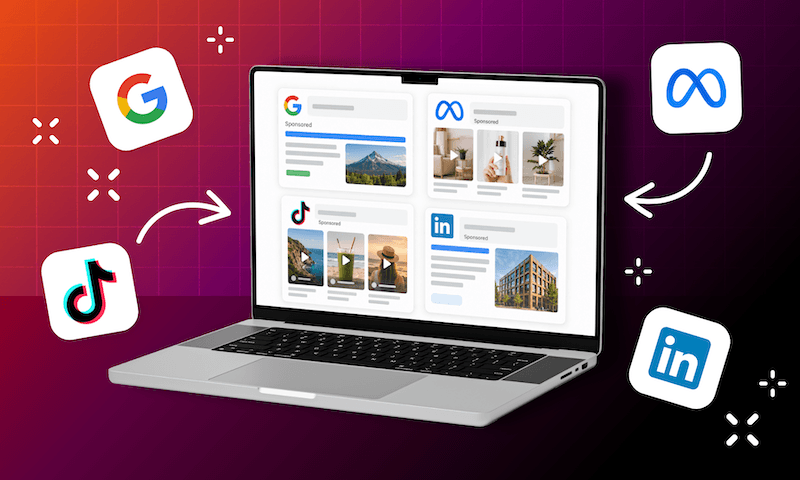
Google, Meta, TikTok, and LinkedIn all offer official ad libraries or transparency tools that can help you see where competitors are advertising, what they are saying, and which creative formats they are using. Paid platforms such as Semrush, Similarweb, SpyFu, and Ahrefs can add keyword, traffic, and historical context.
The important part is knowing what those tools cannot tell you. Seeing a competitor ad in a library doesn’t mean it’s performing well. Estimated spend is still just that: an estimate. Competitor research works best when you treat it as a source of signals and hypotheses, then validate those ideas against your own audience, account data, and business goals.
Quick Wins: Where to Look First for Competitor Ads
- Start with your preferred platform itself. Google, Meta, TikTok, and LinkedIn all provide official ways to research advertiser activity.
- Use ad libraries primarily for creative intelligence. Look at messaging, offers, formats, calls to action, and product priorities.
- Treat paid estimates as directional. Spend, CPC, and traffic estimates can add context, but they are not direct access to a competitor’s account.
- A long-running ad is a clue, not proof. Longevity may signal success, but it does not tell you about conversions, lead quality, or profitability.
- Finish with ideas to test. The goal is to improve your own strategy, not recreate somebody else’s campaign.
Start With the Free Official Ad Libraries
To know what your competitors are actually running, start as close to the source as possible.
That access is becoming more standardized. Under the European Union’s Digital Services Act, very large online platforms must keep publicly searchable ad repositories (Article 39). A platform counts as “very large” at 45 million or more average monthly active users in the EU.
The details still vary by platform, though. Some libraries are best for creative research, while others provide more information about delivery, dates, or performance indicators.
Google Ads Transparency Center
The official Google Ads Transparency Center advertiser search is useful when you want to see how a known competitor appears across Google properties.
Rather than researching a keyword first, you search for the advertiser and review the ads associated with that business. In practice, you enter an advertiser name or website, then narrow the results by location and date. Google’s transparency tools can surface Search, Display, YouTube, and other ad formats from verified advertisers.
The key is to look beyond the headline itself. Search ads can appear with sitelinks, structured snippets, callouts, phone numbers, and other assets depending on the available inventory, so competitor research can reveal how another brand structures its broader message.
Pay attention to repeated services, offers, value propositions, and calls to action. Just remember that the Transparency Center tells you what went into market, not what happened after the click.
Meta Ad Library
The official Meta Ad Library search and ads transparency tools are particularly helpful for creative research across Facebook and Instagram.
Search a competitor and look across several ads instead of focusing on the first one you like. What offers keep appearing? Are they leaning on video, static graphics, testimonials, or carousels? Do certain audiences appear to receive different messaging?
Meta keeps political and issue ads searchable for seven years, and its Ad Targeting dataset for researchers covers such ads in more than 120 countries. Standard commercial advertisers do not receive the same level of public spend and targeting disclosure, so Meta Ad Library is much more useful for understanding creative strategy than competitor budgets.
Kathleen Tydrich, our Paid Ads Specialist, uses tools like Meta’s library mainly for inspiration that can be shared with the creative team.
TikTok Creative Center
The official TikTok Creative Center Top Ads search gives marketers a different view of competitive creative. Instead of starting with one advertiser, you browse top-performing ads and see which brands show up.
TikTok lets you filter Top Ads by factors such as industry, region, objective, and performance. It can also provide comparative metrics such as click-through rate, giving you more performance context than a standard creative archive.
Kathleen still recommends some caution with how much weight you give those metrics.
TikTok Creative Center is particularly useful for identifying formats, hooks, trends, and channel activity. If several competitors appear to be investing heavily in TikTok, that may be enough to justify investigating whether the platform makes sense for your audience, even if you cannot see the business outcomes behind their campaigns.
LinkedIn Ad Library
The official LinkedIn Ad Library advertiser search and ads transparency tools make LinkedIn especially useful for B2B competitor research.
Search by advertiser or company and look at how competitors package their offers. Are they promoting demos, reports, events, case studies, webinars, or direct sales conversations? What problems are they emphasizing? How does their messaging change across campaigns?
For B2B marketers, those patterns can reveal how competitors are positioning themselves to professional audiences. As with Meta, however, the public view is much better at showing you the message than proving its effectiveness.
Use Paid Tools for More Context, Not Absolute Answers
Paid competitive-intelligence platforms can add useful information that official libraries do not expose, including paid keywords, traffic estimates, CPC data, historical advertising activity, and estimated spend.
The word “estimated” is doing some work there.
Kathleen has compared third-party competitor spend estimates against known advertiser numbers and found substantial discrepancies. In one example discussed during our interview, the estimate appeared to be off by more than 50%.
“Knowing how much advertisers are actually spending is really difficult to figure out.”
Paid tools can absolutely improve your research. They just should not be treated like somebody accidentally gave you your competitor’s Google Ads password.
Semrush for Search and Keyword Context
The official Semrush competitor analysis and Advertising Research tools can help identify PPC competitor ads, paid keywords, advertising trends, landing pages, and areas of keyword overlap. Use those findings to build a list of opportunities worth investigating further.
Similarweb for Cross-Channel Context
The official Similarweb Digital Marketing Intelligence platform can provide broader context around competitor traffic, paid search, display ads, organic search, referrals, and other acquisition channels.
That wider view is useful when you are trying to understand how paid advertising fits into a competitor’s overall digital strategy. A brand may appear aggressive in Search while still receiving most of its traffic organically, or it may be relying heavily on display or other paid channels.
SpyFu for Historical Search Activity
The official SpyFu competitor PPC keywords and ad history tools are useful when you want to look backward.
Historical PPC data can show which keywords, ads, and landing pages a competitor has used over time. Repeated themes are worth investigating because they may indicate areas where the advertiser continues to see value.
But “long-running” should not automatically become “proven.” Longevity is a useful signal, but remember that conversion performance is still an unknown.
Ahrefs for Paid Search Competitor Ads and Keywords
The official Ahrefs paid search competitor ads and keywords reports can help connect PPC activity with the broader search landscape.
That becomes particularly useful when paid and organic strategies overlap. Maybe a competitor ranks organically for an important term and still bids on it. Another may rely heavily on paid search because its organic visibility is limited.
Those patterns can help you think more strategically about your own search coverage. They should not, however, become an unchecked list of keywords to add to your account.
Validate Ideas With Google Keyword Planner
Competitor research tells you what another advertiser appears to care about. From there, Google Keyword Planner can help you determine whether the underlying search opportunity actually matters to your brand.
At TDR, we bring Keyword Planner into Search research early. Start with ideas around your product, service, location, or customer problem, then review average monthly search volume, recent changes in demand, competition, and estimated CPC. You can also narrow results geographically so they better reflect the market you actually serve.
That gives you a useful reality check. A competitor may be bidding on a term, but does it have meaningful demand in your market? Is the competition reasonable? Are there adjacent terms with stronger intent? Those questions are usually more valuable than “Should we just do what they’re doing?”
Know What Competitor Research Cannot Tell You
Despite all these tools at your disposal, you cannot see a competitor’s true conversion rate, CPA, ROAS, lead quality, close rate, profit margin, full targeting strategy, or actual media budget for most commercial campaigns.
That limitation applies to creative, too. A polished, attractive ad may perform terribly. Likewise, a design that makes everyone in your creative department physically uncomfortable may somehow be carrying an entire campaign.
The same caution applies to duration. Seeing an ad run for months may suggest the advertiser sees value in it. It does not prove profitability, and it certainly does not mean the same approach will work for you. Competitor research becomes a lot more useful when you stop expecting it to answer questions it simply cannot answer.
Our 30-Minute Competitor Ad Research Workflow
We all love a little true crime, but you don’t need to turn every competitive review into a forensic investigation.
Our quick-start approach begins with the major platform libraries and, where useful, a paid search tool such as Semrush.
- Spend the first 10 minutes confirming where the competitor is advertising. Use the ad libraries we covered earlier: check Google Ads Transparency Center, Meta Ad Library, TikTok Creative Center, and LinkedIn Ad Library where relevant.
- Use the next 10 minutes to identify patterns. Look at messaging, offers, formats, services, products, and calls to action across several ads before drawing conclusions.
- Spend the final 10 minutes validating the strongest ideas. For Search, use Google Keyword Planner to check demand, competition, geography, and CPC expectations. If you have access to Semrush, Similarweb, SpyFu, or Ahrefs, use them when they answer a specific keyword, traffic, historical, or channel question.
From there, turn that research into two or three hypotheses worth testing in your own account.
Turn Competitor Research Into Ideas, Not Imitations
One of the easiest mistakes is finding a competitor ad you like and treating it as a template.
Instead, look for patterns across multiple competitors. What benefits appear repeatedly? What offers dominate the category? Which formats keep showing up? Where does everyone sound exactly the same?
Those patterns can inspire a new test, but your audience, margins, objectives, service area, and positioning still have to drive the final execution.
You’re never going to know everything happening inside a competitor’s ad account. The good news is that you only need enough useful information to make the next decision in yours a little smarter. If you could use an extra hand conducting or interpreting competitor research, that’s the name of our game. Get in touch, and we’ll see how we can help.
share this article


Get In touch
We’d love to share how digital marketing can help elevate your brand — and your business’s bottom line.


821 E Washington Ave #200
Madison, WI 53703
608.836.7464


