


HubSpot Email Workflow Automation: Send, Scale, and Test
Most teams fail at email automation for two predictable reasons: They follow generic timing rules that don’t reflect how their audience actually behaves, and they over-engineer workflows before they’ve earned the complexity. This yields results that look sophisticated on paper, but they quietly underperform in practice.
Your email automation should function like a conversion engine, one that protects deliverability, adapts to real behavior, and scales without collapsing under its own logic. That's exactly what a well-built email workflow HubSpot setup is meant to do. HubSpot's marketing automation platform provides the tools to build these workflows systematically.
In this guide, you’ll learn how to build HubSpot email workflows that are maintainable, testable, and strategically personal — without turning your CRM into a fragile science experiment. We’ll break down the technical foundations, the testing mindset most teams skip, and the optimization strategies that actually move open rates, clicks, and conversions.
Quick Wins: What You Need to Know Before Building Your First Workflow
- Test timing assumptions with your audience: B2B contacts don’t always engage during work hours, and consumers don’t always click at night. General rules mislead more than they help, so start with informed guesses and adjust based on actual engagement.
- Start simple and earn complexity: Launch with straightforward drip campaigns like welcome email sequences or follow-up automation, confirm they work, then layer in personalization and branching logic over time.
- Personalize based on behavior, not demographics: Dynamic content triggered by downloads, page visits, or email clicks consistently outperforms first-name tokens.
- Protect deliverability through CRM health: Monitor email health, maintain data hygiene, and align with sales leadership on SLAs to prevent uncontrolled sending.
- Use consistent naming conventions: Clear workflow names, descriptions, and audit trails prevent reporting errors and execution failures later.
Timing Rules Are Myths: Test Your Way Forward
Conventional wisdom says B2B emails should go out during business hours, and consumer emails should wait for evenings or weekends. Sometimes that’s true. Often, it’s not. Audience behavior varies far more than most playbooks admit, which means rigid timing rules can quietly sabotage your results.
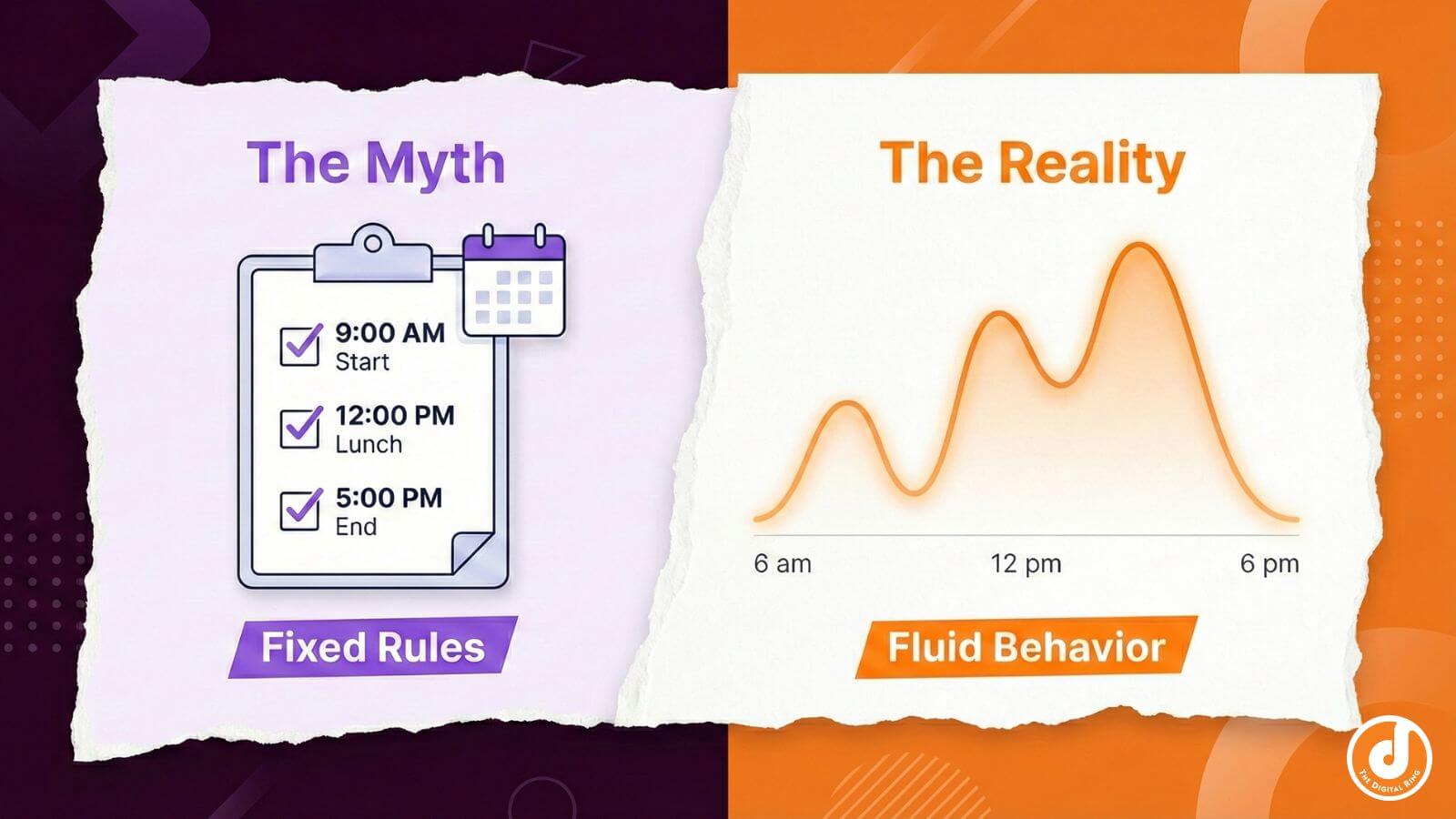
The smartest teams treat timing as merely a hypothesis, not a hard-and-fast rule. They start with educated guesses — industry benchmarks, AI-assisted recommendations, or past performance — and then let real engagement data confirm or correct those assumptions.
To test timing, you don't need a complex system. Use A/B testing workflows to send to small, representative contact groups at different times. Observe open rates, click-through rates, and downstream conversions, then iterate. Early workflows should stay simple so you can isolate what’s actually working. If you stack branching logic, personalization, and timing changes all at once, you’ll never know which lever moved the needle.
Most importantly, design workflows around the customer journey, not internal reporting optics. Movement toward conversions is what matters, so don’t get too hung up on activity counts.
Build Workflows That Scale Without Breaking
Automation only scales if the foundation is solid. That means understanding how emails, triggers, and actions interact, and pairing that knowledge with organizational discipline. Without both, even the most well-intentioned HubSpot email workflow setups eventually conflict with themselves.
Master the Core: Emails, Triggers, Actions
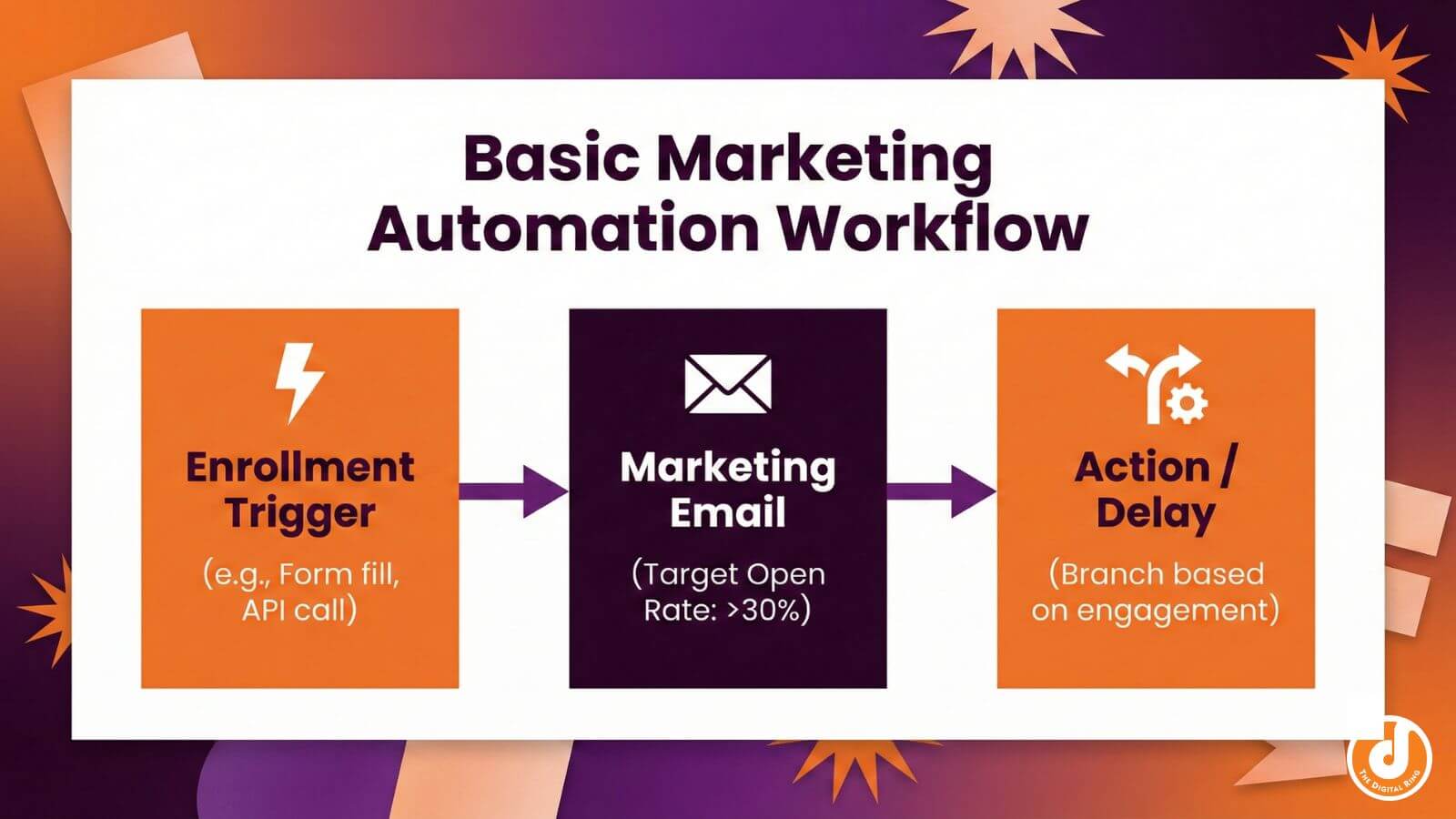
Every HubSpot workflow send email action relies on three components working in harmony: emails, enrollment triggers, and actions.
You can build automated emails directly inside the workflow editor for speed, or use email templates in the marketing email tool for reuse and consistency across workflows. Both approaches work, as long as you're intentional. Just remember: only marketing emails saved for automation will appear in workflow actions — draft or previously sent batch emails won't show up.
Enrollment triggers matter just as much. Event-based triggers send triggered emails on actions like form submissions or CTA clicks. Filter-based triggers enroll contacts when certain criteria become true. Schedule-based triggers combine dates with filters for time-driven automation. Choosing the wrong trigger type is a fast way to misfire an otherwise solid workflow.
Actions are the steps a workflow takes after someone meets a trigger. And when timing matters, "delay until event" actions work better than workflow delays with fixed waits. That's because the workflow moves forward as soon as someone clicks a link, visits a key page, or books a meeting, not after an arbitrary number of days.
Organization Prevents Future Headaches
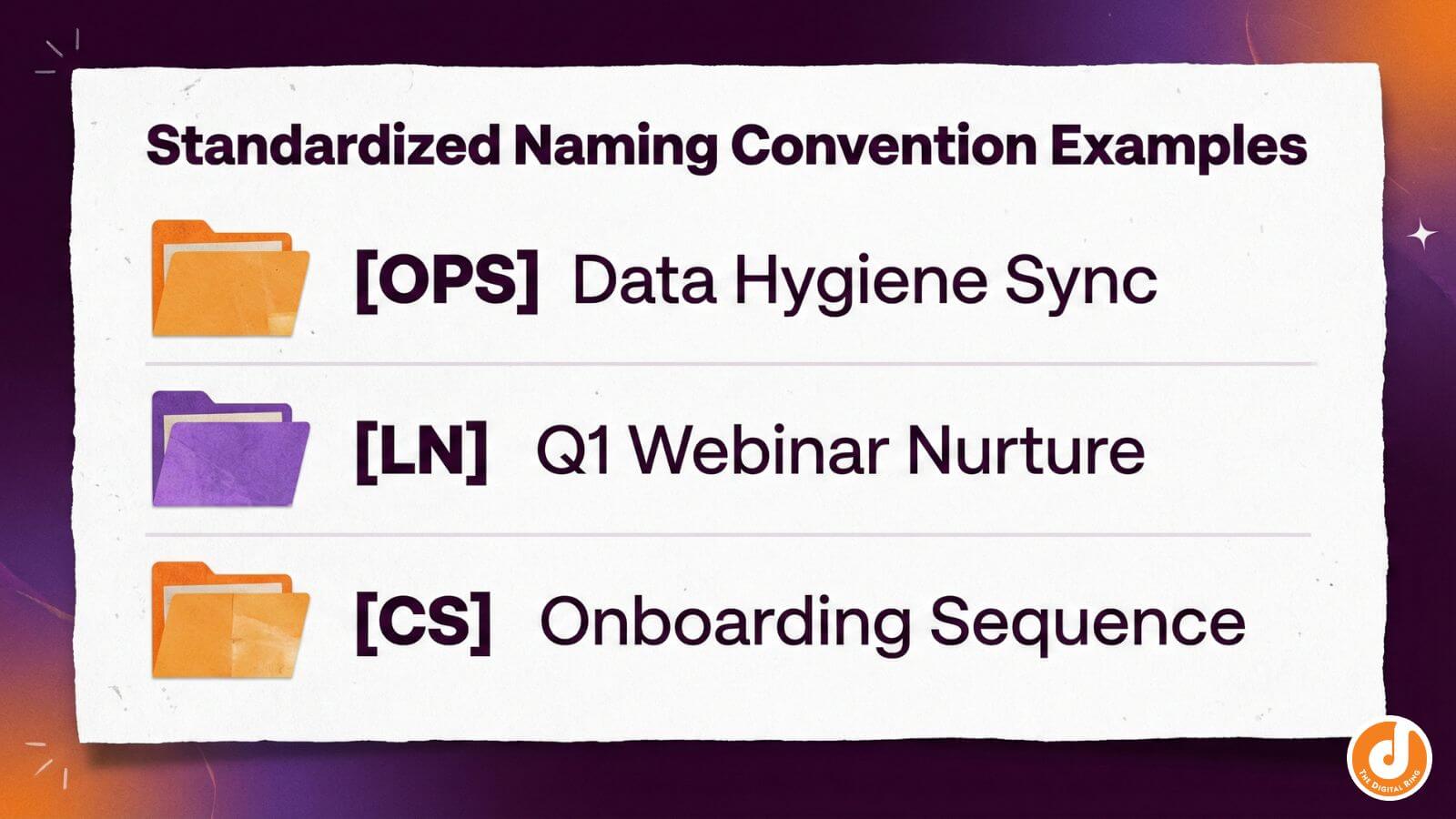
As automation grows, chaos creeps in unless you stop it early. Naming conventions help. Prefixes like [OPS] for operational workflows, [LN] for lead nurture sequences, and [CS] for customer success automation make workflows scannable and reduce mistakes. Descriptions matter too. Write them every time, even though HubSpot doesn’t require it. If writing isn’t your strength, no worries — the AI Breeze feature in HubSpot can write them for you.
CRM processing delays are another hidden culprit. Contact property updates and syncs aren't always instant, so dependent actions should include short buffers. 15-30 seconds can prevent broken logic.
Before launching anything new, audit what already exists. Buried workflows often interfere with fresh automation in subtle ways. Review workflow analytics to understand performance patterns. Test with HubSpot's built-in tools, then with live test records. Logic that works in theory still needs proof in practice.
Strategic Optimization Beats Feature Scope Creep
Despite what you may have heard, more branches don’t equal better automation. The strongest HubSpot automated email workflow systems balance simplicity, personalization, and CRM health. When those three are aligned, performance follows.
True Personalization Goes Beyond Names
First-name personalization is table stakes. Real personalization responds to behavior. Reference what someone downloaded, acknowledge pages they visited, and adjust CTAs based on engagement history.
Segment contacts intentionally using contact lists built around lifecycle stage, industry, and engagement level. These factors should directly influence messaging. Use if/then branches to skip irrelevant content, serve role-specific examples, or adjust next steps dynamically.
Don’t forget about testing — that still matters here. Subject lines, email length, tone, and value propositions all deserve experimentation. Ultimately, personalization without testing is just educated guessing.
Deliverability Lives in CRM Hygiene
Every workflow lives or dies by deliverability. Monitor bounce rates, spam complaints, and engagement trends in HubSpot's email health tools. Take any declines in these metrics seriously, as they are often early warning signs rather than simple inconveniences.
One technical requirement matters more than most teams realize: automated emails not sent using a connected email sending domain will be sent from a HubSpot-managed domain, which can hurt deliverability and sender reputation. Connect your domain before launching workflows.
Database hygiene isn't optional. Remove hard bounces quickly, segment inactive contacts, validate new entries before they poison your lists, and coordinate closely with sales. Lead nurturing depends on deliverability — uncontrolled one-off sends can undo months of careful automation work.
Finally, keep systems aligned. Marketing, sales, and operations should all understand how workflows interact with the CRM. Automation only works when humans communicate.
What Success With Hubspot Email Workflows Actually Looks Like
When built correctly, HubSpot email workflows won't feel automated. Instead, they'll feel timely, relevant, and intentional. With properly built workflows, your team will know how to configure re-enrollment settings, set workflow goals, test assumptions, and iterate safely while protecting deliverability. Reporting will stay clean. Engagement will improve. Sales follow-up will get sharper because leads are better qualified and better informed. Most importantly, your automation will finally become manageable.
If you want help building or untangling email workflow HubSpot systems that balance simplicity with strategic impact, we can help you get there (without over-engineering your CRM in the process). Reach out to us at The Digital Ring to get started.
share this article
.jpg)

Get In touch
We’d love to share how digital marketing can help elevate your brand — and your business’s bottom line.


821 E Washington Ave #200
Madison, WI 53703
608.836.7464


